

Leave a Review on Monday Marketplace
If you rely on the FillFaster + Monday.com integration, a quick review on Monday Marketplace helps other teams discover and trust the app. Follow these steps to leave your feedback.
Before you start
Section titled “Before you start”- A Monday.com account that already uses the FillFaster integration.
- Access to the Monday Marketplace area (workspace admins typically have it).
Leave your review
Section titled “Leave your review”- Sign in to your Monday.com account.
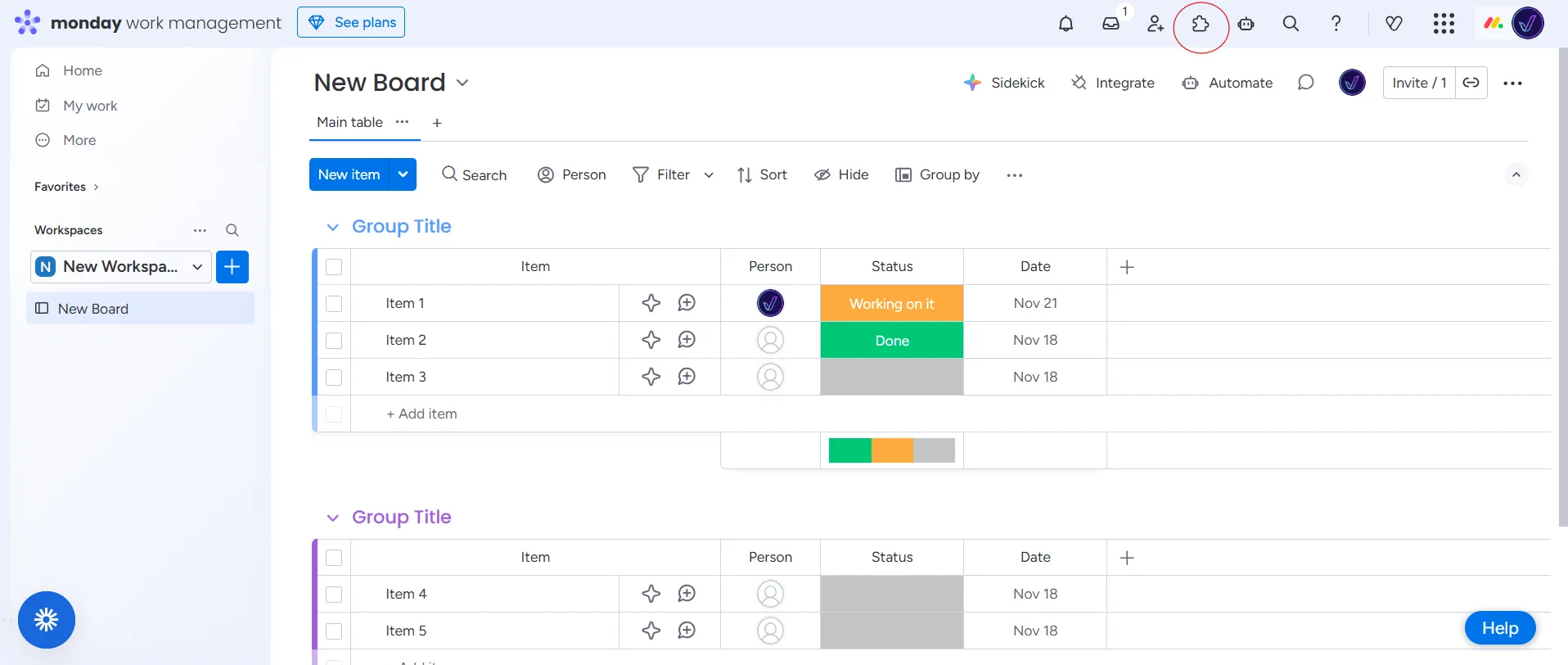
- Click Monday Marketplace from the left navigation sidebar.
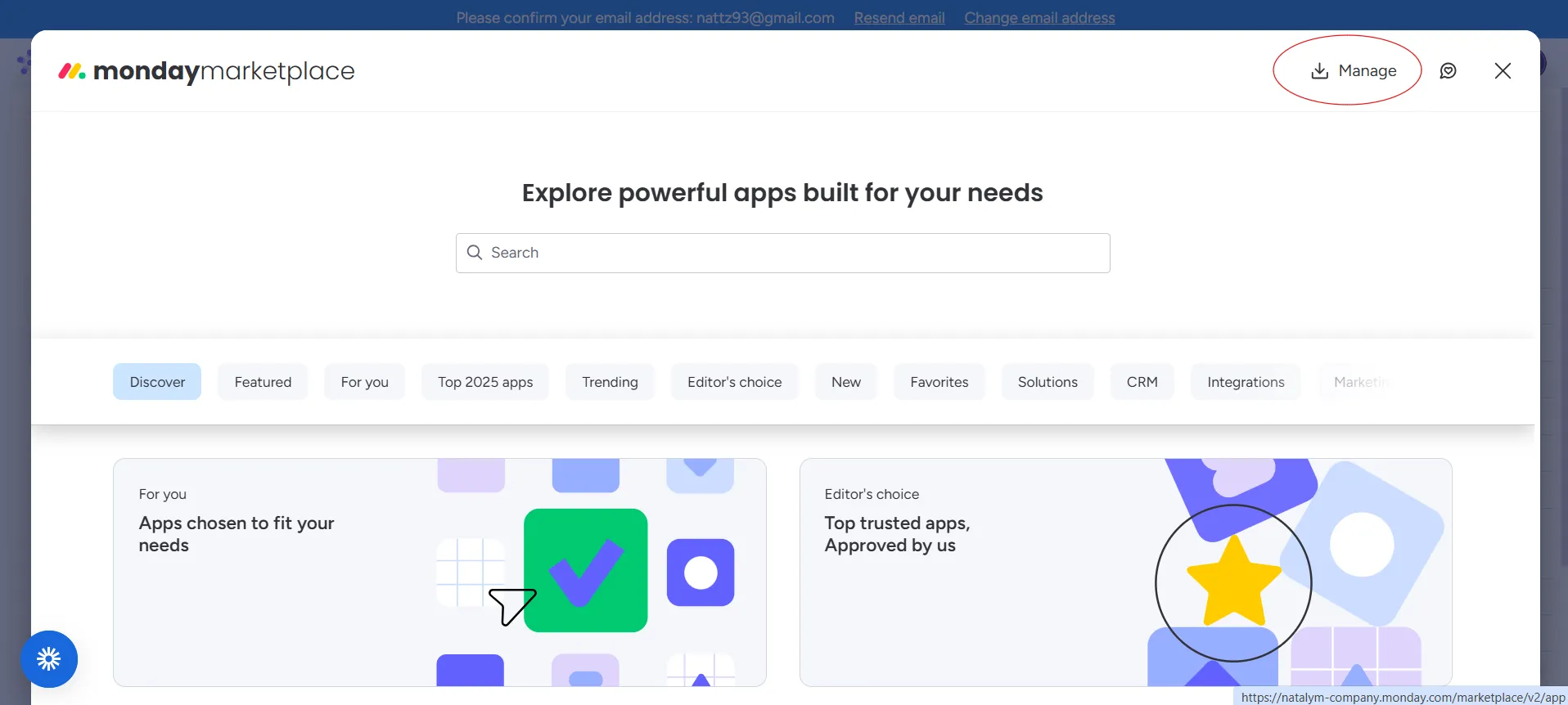
- Select Manage to open the list of apps that are installed in your workspace.
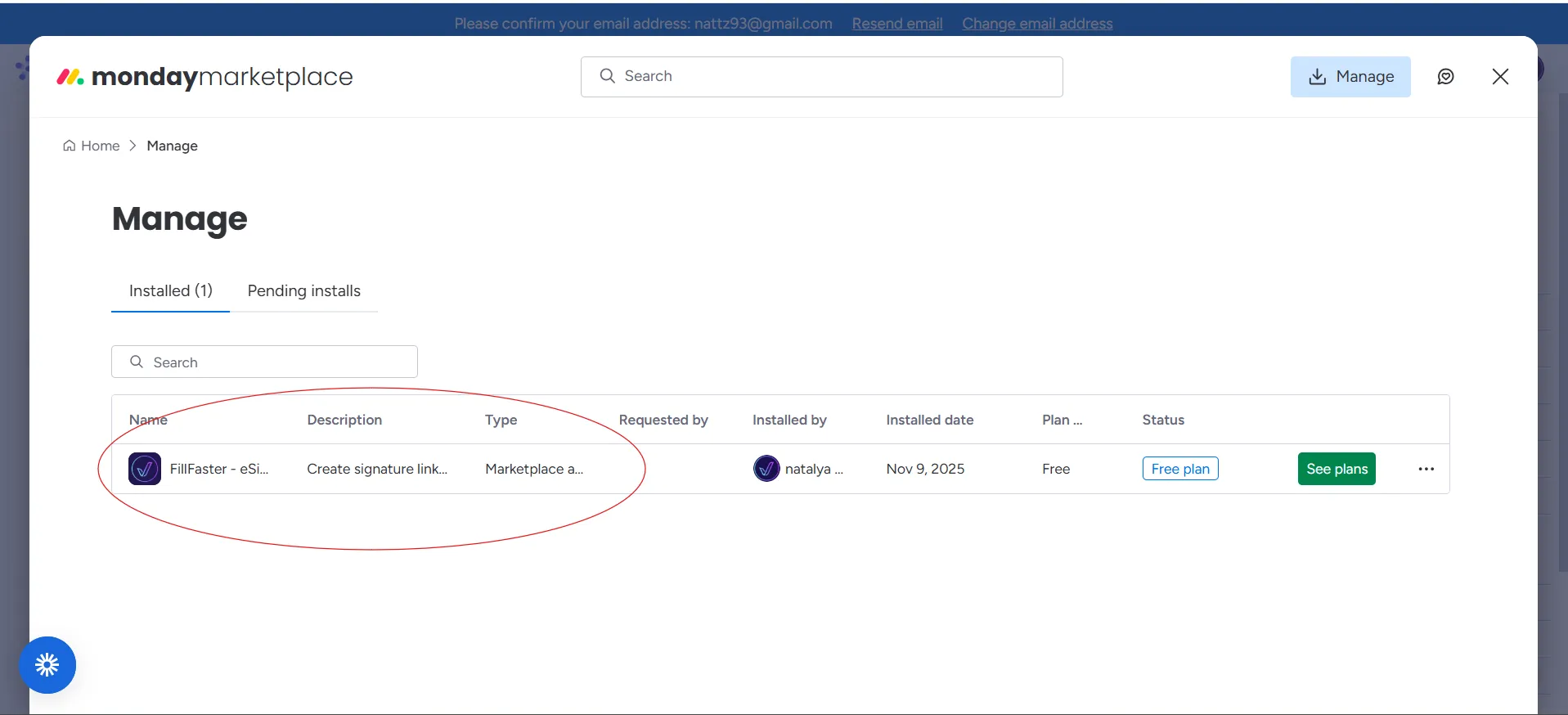
- Locate FillFaster in the list and click the row to open the app details.
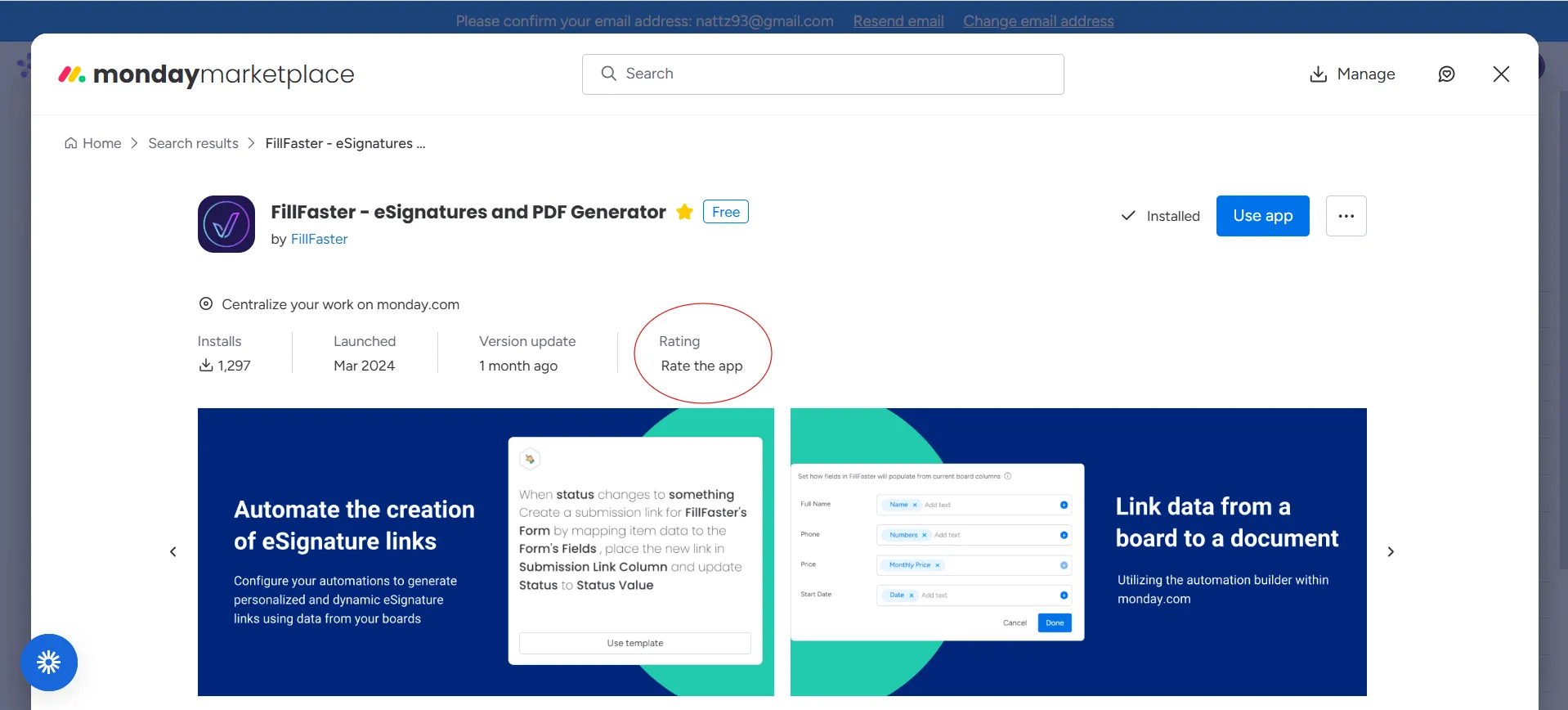
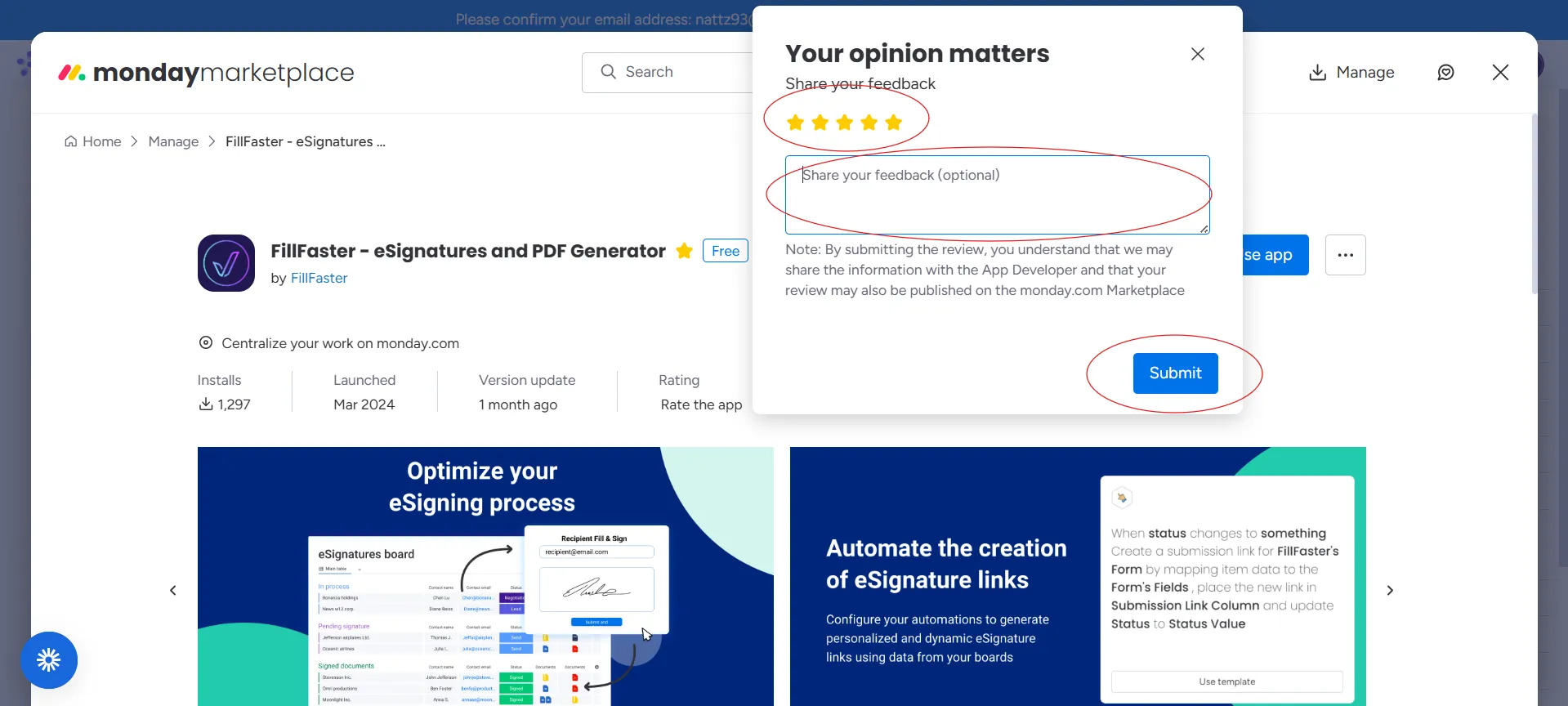
- Inside the FillFaster app page, choose Rate the App.
- Pick your star rating, add a short endorsement that explains how FillFaster helps your team, and submit.
Tips for a helpful review
Section titled “Tips for a helpful review”- Mention which FillFaster features you rely on (e.g., single-use forms, PDF automation, monday.com automations).
- Highlight measurable wins such as time saved per submission or less manual work for your team.
- Keep the tone authentic and friendly - reviews with specific examples carry more weight.
Thank you for supporting FillFaster on Monday Marketplace! Your feedback directly helps us reach and help more Monday.com users. ✌️