

Generate a PDF File with Images via Make
FillFaster’s advanced integration with Make.com lets you automatically generate dynamic PDF files that include visual elements and images.
Access FillFaster’s App
Section titled “Access FillFaster’s App”Open the FillFaster app on Make.com.
Create or Select a PDF Template
Section titled “Create or Select a PDF Template”If you already have a PDF template, select it. Otherwise, create a new one.
Ensure the template includes placeholders for images (for example: image fields).
Prepare Your Image
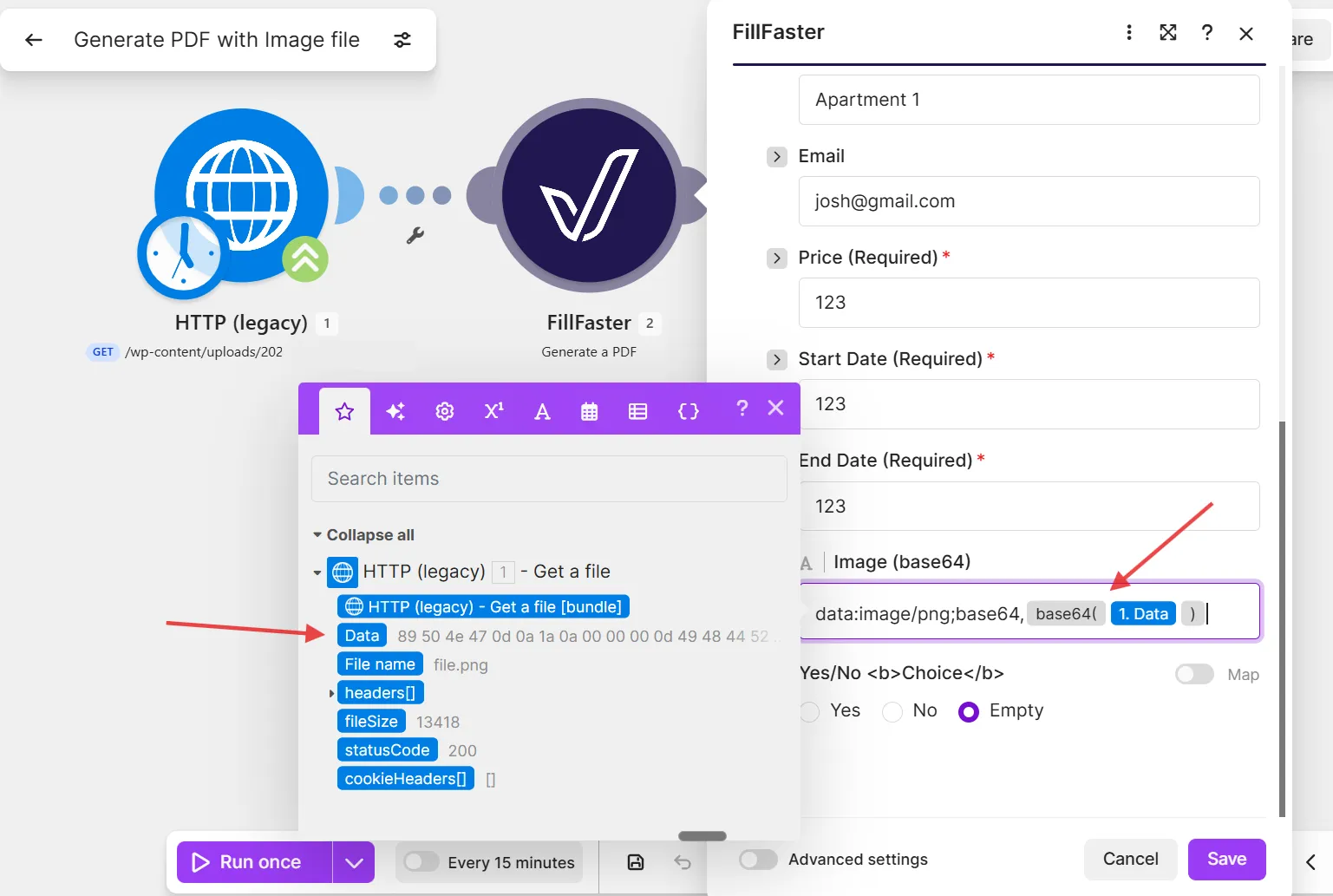
Section titled “Prepare Your Image”Convert your image to a base64 string. The format should be: data:image/[IMAGE FORMAT];base64,[BASE64 OF THE IMAGE]
For example:
data:image/png;base64,iVBORw0KGgoAAAA...Generate the PDF
Section titled “Generate the PDF”Use FillFaster’s module to generate the PDF. The image will appear in the location defined on the PDF template.
Remember that image fields support formats like PNG and JPEG.